
viernes, 29 de mayo de 2015
Ink and watercolor II
Hi everyone!! This is my second illustration using ink and watercolor. It belongs to the same series as the last one. I made some textures with salt.


jueves, 14 de mayo de 2015
Ink and watercolor
Hi everyone!!!! I want to share with you this piece that I made for my homework. The symbol in the left hand is called triskel and it represents protection, wisdom and power; It has other meanings but I just counted these three in orden to simplify my work.


sábado, 9 de mayo de 2015
Pruebas con grafito
Hola a todos!!!! He estado trabajando con grafito últimamente y les tengo algunos tips para que les sea más sencillo usarlo: primero se tienen que hacer pruebas tonales con los diferentes lápices para saber cómo se comportan y qué tanto se satura el papel, el papel de las pruebas y el del trabajo final debe ser el mismo para evitar sorpresas desagradables y los lápices se pueden combinar para obtener tonos más oscuros y uniformes. Primero aplico el lápiz H para dar un tono base y luego voy construyendo los tonos oscuros añadiendo capas de B. Por ejemplo, se usa un 8H para el tono de base y después un 5H, 2H y al final un 3B.


jueves, 7 de mayo de 2015
Ventas por teléfono
Alguna vez se sintieron arrinconados por los insistentes agentes de ventas de compañías de teléfono o bancos? Yo sí, sobre todo cuando intentan venderte seguros o tarjetas o cuando tratan de hacer que cambies de compañía de cable. Simplemente te enredan con sus palabras y ya no sabes ni que decir. En tales casos he intentado colgar, pero hablan y hablan y hablan y hablan. (-.-) ¿Ustedes que hacen?


viernes, 1 de mayo de 2015
Dietas
Hola a todos!!! Esta semana hice una ilustración sobre las dietas y los peligros de adoptar regímenes muy estrictos y locos. Es mejor visitar a un especialista. Recuerden que no sólo existen los nutriólogos, también están los químicos e ingenieros de alimentos especializados en nutrición :)

jueves, 23 de abril de 2015
Pinceles en Photoshop

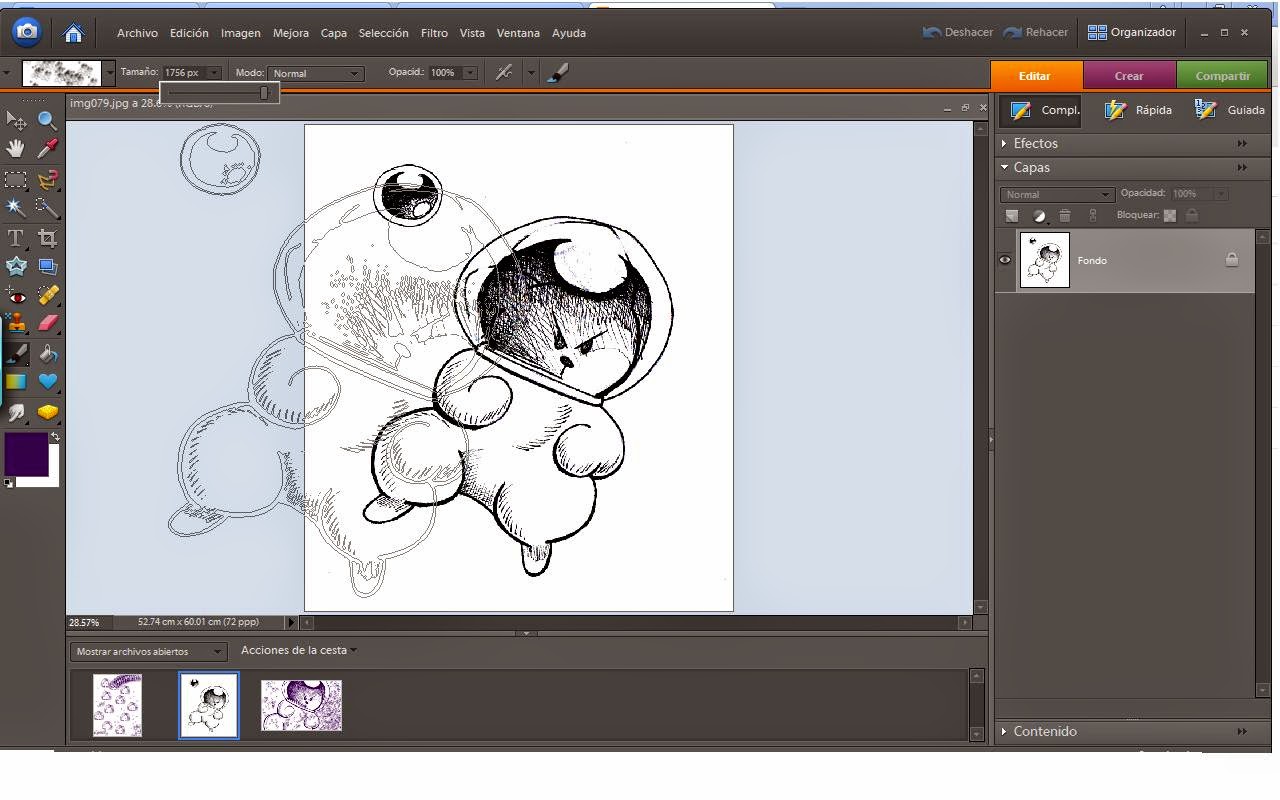
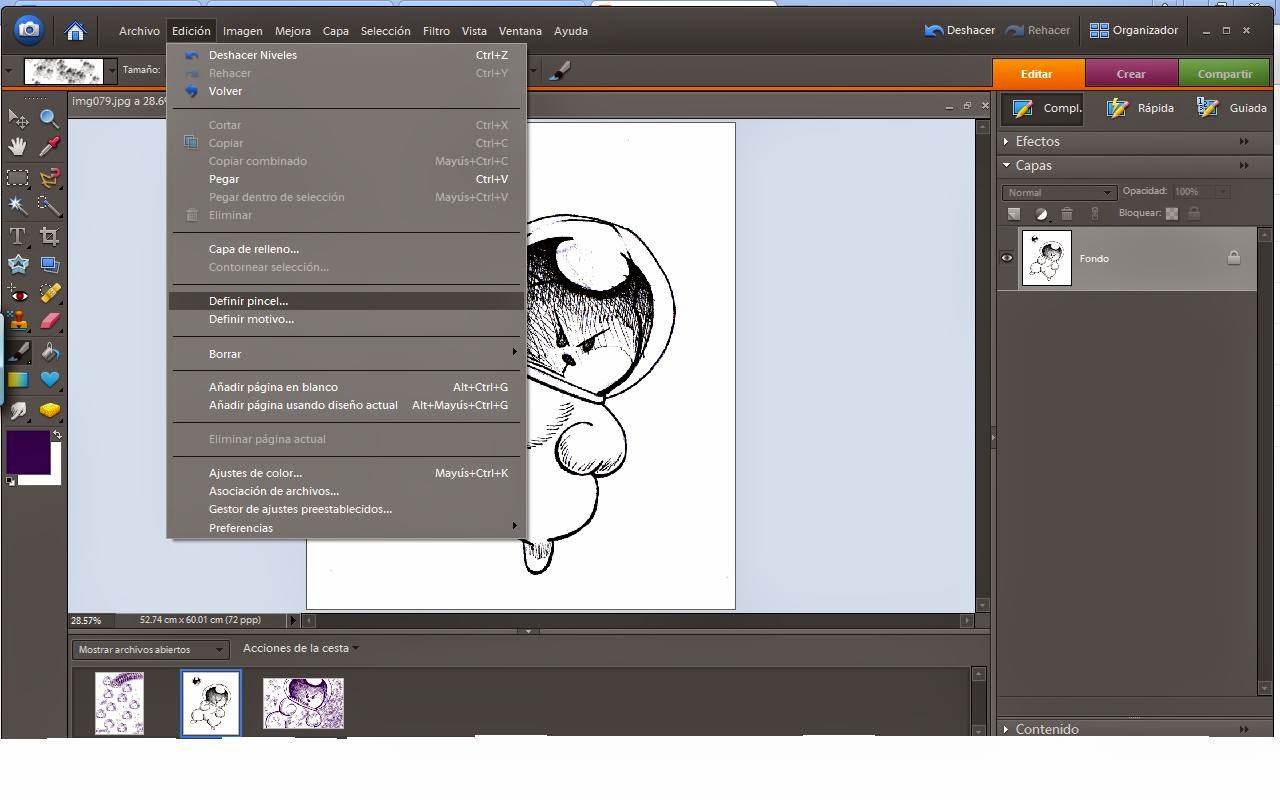 The new brush will appear almost instantly.
  Last step: save it. Use the present manager menu, save set.
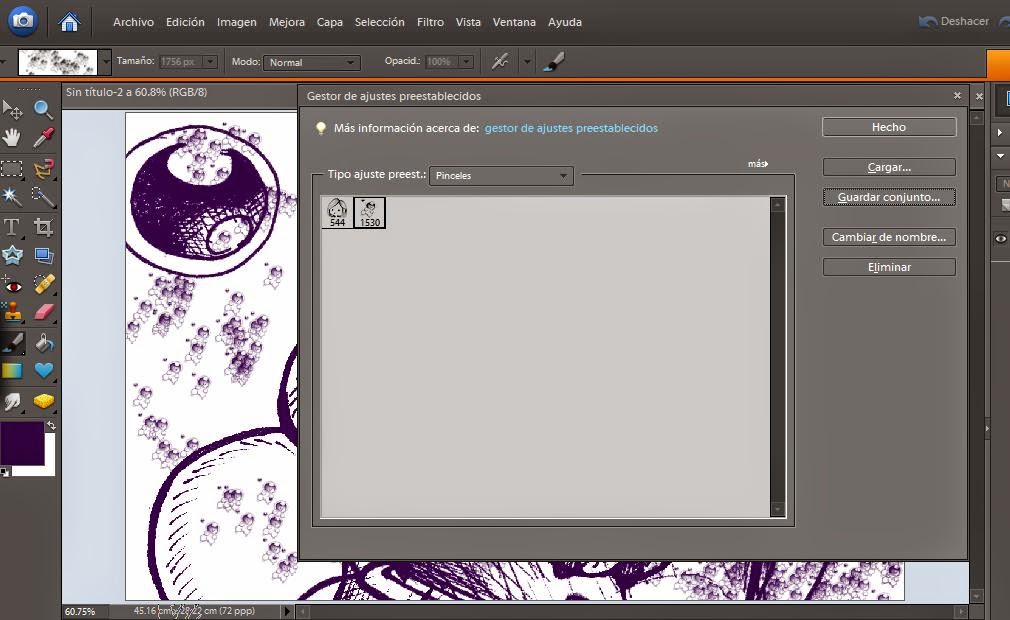 And that's it (^.^)/
 jueves, 9 de abril de 2015
Oil painting


Suscribirse a:
Entradas (Atom)